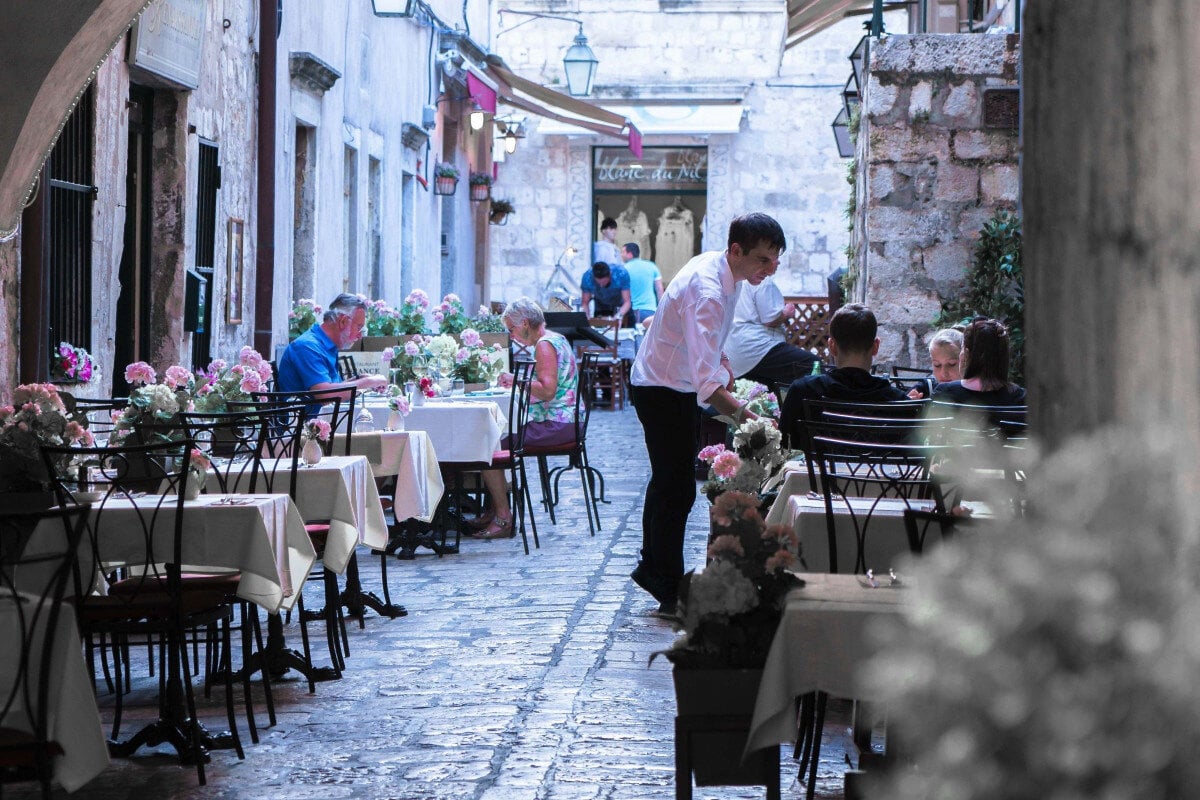
A 15-minute wait to place an order is the difference between a guest who returns and one who walks out before the appetizer hits the table.
Full-service restaurants running traditional service models are losing meaningful table turnover during peak hours, and the revenue tied to every empty seat keeps climbing. For restaurant owners, the lost revenue from slow service compounds shift after shift.
Smart table ordering changes that math. Peer-reviewed research from the Wharton School and SMU Cox, published in Management Science, found that tabletop technology improved sales per check by roughly 1% and reduced meal duration by close to 10%, lifting overall sales productivity by about 11%.
For operators aiming for faster table turnover, reduced labor costs, and a smoother guest experience, the right table ordering system can turn service speed into a measurable revenue advantage. The 11 strategies below show you where to focus first.
Table Ordering System Implementation
Before you pick a platform, get the foundation right. The two strategies below cover the infrastructure and data work that determine whether your investment actually pays off.
1. Build the Right Infrastructure From Day One
Your table ordering system is only as fast as the network it runs on. Audit your Wi-Fi coverage, POS integration points, and kitchen display capacity before you select a platform. The goal is a connected stack that moves every order from table to checkout without a manual handoff.
That connection is what unlocks real-time menu updates, contactless payments, and live reporting. These are the operational layers that turn a table ordering system into a revenue driver. Train staff before launch, not during, and choose the right POS system for restaurants to build everything else on.
2. Capture the Data Your Operation Has Been Missing
A restaurant table ordering system collects information your servers never could:
- Which menu items get viewed but not ordered
- Which modifiers slow the kitchen down
- When upsells convert best
That valuable data shapes smarter menu engineering and tighter inventory, and a clearer view of where service bottlenecks are slowing table turnover..
Digital entry replaces handwritten tickets, so orders reach the kitchen with fewer mistakes and stronger order accuracy. Fewer errors mean fewer comps and remakes, smoother service, and more tables turned during peak hours.
Order at Table App Technologies
Once the infrastructure is in place, the technology layer is what guests actually touch. These two strategies focus on the apps and QR systems that shape their first impression.
3. Choose a Table Ordering App Built for Your Guests' Phones
The best table ordering app works on any mobile device without a download. If a guest has to install something, you've already lost half of them. Look for browser-based interfaces and flexible payment options, including a clean integration with Apple Pay and Google Pay.
When a guest's order automatically credits their restaurant loyalty program account, you turn one-time visits into repeat visits without the server having to ask.
4. Deploy QR Code Ordering With a Real Fallback Plan
A QR code ordering system has moved from pandemic stopgap to standard equipment. According to the National Restaurant Association's State of the Industry data cited by Rezku, 49% of restaurants planned to invest in contactless ordering and payment, and 75% of delivery customers say tech-enabled ordering factors into where they choose to eat.
Place QR codes where guests can spot them immediately, such as table tents, menus, or bar tops. Keep printed menus available for guests who prefer them. When QR ordering sits alongside traditional service instead of replacing it, guests treat it as a helpful option rather than something they’re forced into. The result: your team still gets the speed gains where they matter most.
When customers can order and pay directly from their own phone, every step of the process becomes smoother, from browsing the menu to closing out the check without waiting for a server.
Tableside Ordering System Strategies
Technology is only half the equation. How your team uses it matters just as much. These two strategies cover the equipment and the workflow redesign that unlocks the full lift.
5. Equip Servers With Handheld POS Devices
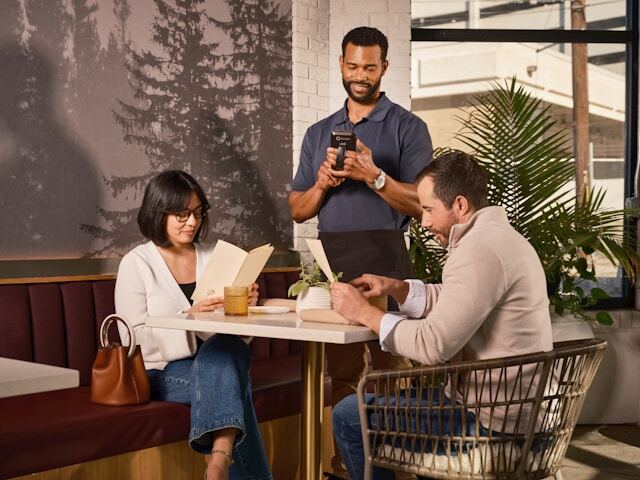
Handheld POS systems eliminate the trip back to a central terminal. Servers stay on the floor, take orders at the table, and fire them straight to the kitchen, cutting wait times for guests.
The Wharton/SMU research found that this technology helps less experienced servers improve performance more than those with more experience, meaning it lifts your floor, not just your ceiling.
For a closer look, see the eight handheld restaurants order taking system growth wins we've documented.
6. Redesign Your Workflow Around the Technology
Adding tableside ordering to a workflow built for paper tickets gets you a fraction of the benefit. Rebuilding the workflow around the technology unlocks the full lift.
Map where servers spend their time today, then redirect those minutes toward guest-facing work, such as enhancing the dining experience. The "section-as-one-table" approach, where servers consolidate tasks across their section, pairs well with tableside ordering and shaves time off each turn.
Enriching Guest Experience Through Technology
Speed matters, but only if guests still feel taken care of. The next two strategies tie the operational gains back to the experience your guests actually have.
7. Let Digital Ordering Suggest Upsells Automatically
Digital ordering systems suggest upsells, surface accurate orders, and promote add-ons automatically.
Modern Restaurant Management cites a 35% sales increase for restaurants using self-serve QR ordering, and a Deloitte report cited in QR Code Chimp's 2026 statistics roundup found consumer spending rises by around 20% when guests order through digital tools.
Digital menus do most of the heavy lifting here. High-quality photos, clear item descriptions, modifier prompts, and well-placed add-on suggestions guide guests toward profitable items, quick-to-prepare dishes, and pairings, without putting pressure on servers to remember a script.
That guidance pays off most during peak hours. When the menu itself is steering guests toward dishes the kitchen can fire fast, you boost sales and reduce kitchen strain at the same.
8. Give Guests Control Over Their Own Pace
Some guests want a leisurely meal. Others want to order, eat, and leave. Tableside service and ordering let both happen without the server having to read the room, allowing customers to set their own pace.
That control creates happier, repeat customers. A strong guest experience built around digital convenience is what brings them through the door a second and third time.
Boost Revenue Through Efficiency
Faster service is only useful if it translates to dollars. These two strategies focus on the operational moves that turn efficiency gains into measurable revenue.
9. Turn Faster Turnover Into Higher Daily Covers
Every additional turn during peak hours is worth real money.
The 11% sales productivity gain and faster table turnover documented in the Wharton/SMU study compounds when you factor in reduced labor costs per cover and operational efficiency. Restaurants can let servers handle more tables without adding staff.
Even one or two extra seatings per shift translate directly to revenue you could not capture before. For restaurants where each table turn is worth meaningful revenue, faster service can quickly create the kind of ROI operators need to justify new technology.
For a broader look at protecting margin alongside volume, GoEBT's breakdown of how to maximize revenue when sales are high but profits are low covers the operational levers that complement faster turnover.
10. Use Strategic Pre-Bussing to Cut Reset Time
Pre-bussing (having staff continuously clear plates throughout the meal) minimizes table reset time between guests.
Combined with tableside ordering and at-table payment, it eliminates the dead time most restaurants lose between the check arriving, the table being cleared, and the next party being seated.
Streamline Operations for Success
The final piece is making sure your tools work together, not against each other.
11. Integrate Mobile POS With Everything Else in Your Stack
A mobile POS is only as valuable as its integrations. Order taking, payment processing, loyalty, online ordering, and reporting all need to run through one connected system.
When your tableside ordering, kitchen display, payment processor, and loyalty platform are integrated via Paytronix, every order flows automatically, helping you streamline operations and increase revenue.
Frequently Asked Questions About Table Ordering
What is tableside ordering?
Tableside ordering is a service model where guests place orders directly from their table using a digital interface (a QR code, tablet, handheld POS device used by the server, or the guest's own phone). Orders go straight to the kitchen, payment happens at the table, and the entire order-to-payment cycle compresses.
Which major restaurants use tablets to take orders?
Several major full-service brands have rolled out tabletop tablets, including Chili's, Olive Garden, and Outback Steakhouse. Most use them for ordering, payment, and entertainment. Smaller regional chains have moved toward handheld POS devices for servers instead, which preserves the hospitality element while capturing efficiency gains.
Take the Next Step Today
Faster turnover isn't theoretical. It's what restaurants achieve when they pair table ordering technology with the workflow changes that let it perform. Implementation runs 14 to 30 days for most operators, and the gains start showing up in week one.
The brands pulling ahead aren't doing all 11 of these things at once. They're picking the two or three that fit their operation, executing them well, and layering in the rest as the team adapts.
For a deeper look at the data behind digital ordering performance, see the Paytronix Online Ordering Report, then calculate your potential revenue lift with Paytronix and see what faster turnover looks like for your dining room.

 Julia Bigwood


 Michelle Casey : Jun 30, 2026