Restaurants must be efficient to find success.
Table management software is a tool that improves customer happiness and your operations. This article explains:
Understanding Table Management Software
Table management software is a desktop computer or cloud-based application that restaurants use to improve:
-
Reservations
-
Seating
-
Customer flow
It uses data to help make decisions. 3 features of table management software include:
- Real-time Table Tracking
- Reservation Integration With Your Online Booking System
- Customer Management
3 Outcomes of Using Table Management Software
Table management software can improve your operations. Here are three benefits:
- Lower Wait Times: With real-time updates, your staff can see which tables are available. This lets hosts seat guests quickly. The software also syncs with reservation systems and online ordering systems.
- Improved Staff Coordination: The dashboard lets all staff have access to the same table and guest information.
- Better Decisions: The software tracks data that managers use to improve.
3 Tips for Picking the Right Software
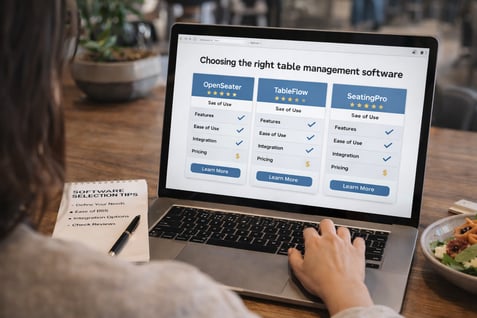
Choosing the right table management software is a must. Here 3 tips:
- User-Friendly Interface: Look for software that provides a clear layout.
- Custom Options: The platform should match your workflow.
- System Connection: Make sure the software connects to your systems, such as point of sale (POS) platforms and customer loyalty programs.
Think about more than your needs now. This software should be able to grow as you do.
- Think about growth. Choose a restaurant table management platform that can grow with your restaurant.
- Support. Look for providers that can help with set-up and training.
6 Steps to Using the Software
Ready to use your new table management software? Here are six steps to get you started:
- Preparation: Define your goals for the software.
- Technical Setup: Work with the table management team to set up the software on all your devices.
- System Testing: Do testing to make sure everything functions as expected.
- Staff Training: Do training for hosts, servers, and managers.
- Rollout: Start using the software during quieter hours.
- Ongoing Support: Once the system is set up, continue giving support to your team.
Connecting with Your Other Tech
Create a tech stack by connecting your:
Here is how connecting makes everything easier:
- Online Reservations: When a customer makes a reservation through restaurant reservation software or places an order via your online ordering software, the table management software automatically updates your POS and CRM systems with the customer's details. When the guest arrives, the host can instantly access their reservation details, order history, and preferences from the CRM, while the table status is automatically reflected in the management software.
- Returning Customers: When a returning customer makes a reservation, their profile in the CRM system is automatically updated with loyalty points and previous visit details. This allows the host to mention the guest’s relevant rewards or personalized offers if so desired. The table management software can also alert the server to these details before the guest is seated, so they can provide a more tailored service.
- Sold-out Items: When a dish at your restaurant is unavailable due to low inventory, the integration between the table management software and the inventory system automatically updates the menu in real-time. The POS system reflects this change, ensuring staff doesn’t accidentally offer unavailable items to guests. This prevents customer disappointment and maintains smoother operations.
4 Best Practices
To get the most out of your table management software, use these 4 best practices:
- Improve Layouts: Table management software can help you get the most out of your seating layout.
- Waitlist Management: When a restaurant is full, the software can manage the waitlist.
- Improve Dining Schedules: The software can create perfect dining schedules by looking at data.
- Staff Scheduling: The software can show busy times and suggest when staff breaks should happen.
4 Troubleshooting Tips
There are always some challenges with new tech. Here are some common ones:
|
Challenge
|
Solution
|
|
Connecting the software.
|
Ask the software provider for help.
|
|
Can't customize.
|
Work with the software provider for customizations or find third-party tools.
|
|
Data issues, leading to a bad customer experience.
|
Regularly check data to keep it up-to-date.
|
|
Technical issues may disrupt operations.
|
Use regular maintenance schedules and system tests.
|
Make sure to check for updates and install them. These updates may include:
-
Bug fixes
-
Security patches
-
New features
Next Steps
With the right table management software you can better:
-
Track reservations
-
Improve seating
-
Managing guest needs
Your staff will no longer have to do boring tasks or updates and can focus on excellent service.
Now is the perfect time to see how table management software improves workflows and customer retention. For more info, check out our online ordering guide.

 Kristin Lynch




 Michelle Casey : Jul 16, 2025