Most businesses manage customer communications across three or four separate tools, leaving teams without one reliable view of what was sent, delivered, or answered. Message software brings this activity together, helping customer-facing and internal teams communicate without switching between disconnected systems or relying on personal phones.
According to Pew Research Center, 98% of US adults owned a cellphone in 2025. SMS messages generally achieve higher open rates than emails, increasing the chance that time-sensitive information will be seen quickly. That makes SMS useful for everything from a targeted offer to an urgent service update, provided the platform can deliver reliably and handle replies without creating another fragmented workflow.
Before comparing providers or pricing, it helps to understand what message software covers and how it differs from the consumer messaging apps your team may already use.
What Is Message Software for Business
Message software helps businesses manage outgoing and incoming messages at scale while automating routine communication and tracking performance. SMS usually forms the core, although these systems may also support Multimedia Messaging Service (MMS), Rich Communication Services (RCS), and application programming interface (API) integrations. They provide the oversight and control that consumer messaging apps lack.
How SMS Software for Business Differs From Consumer Messaging Apps
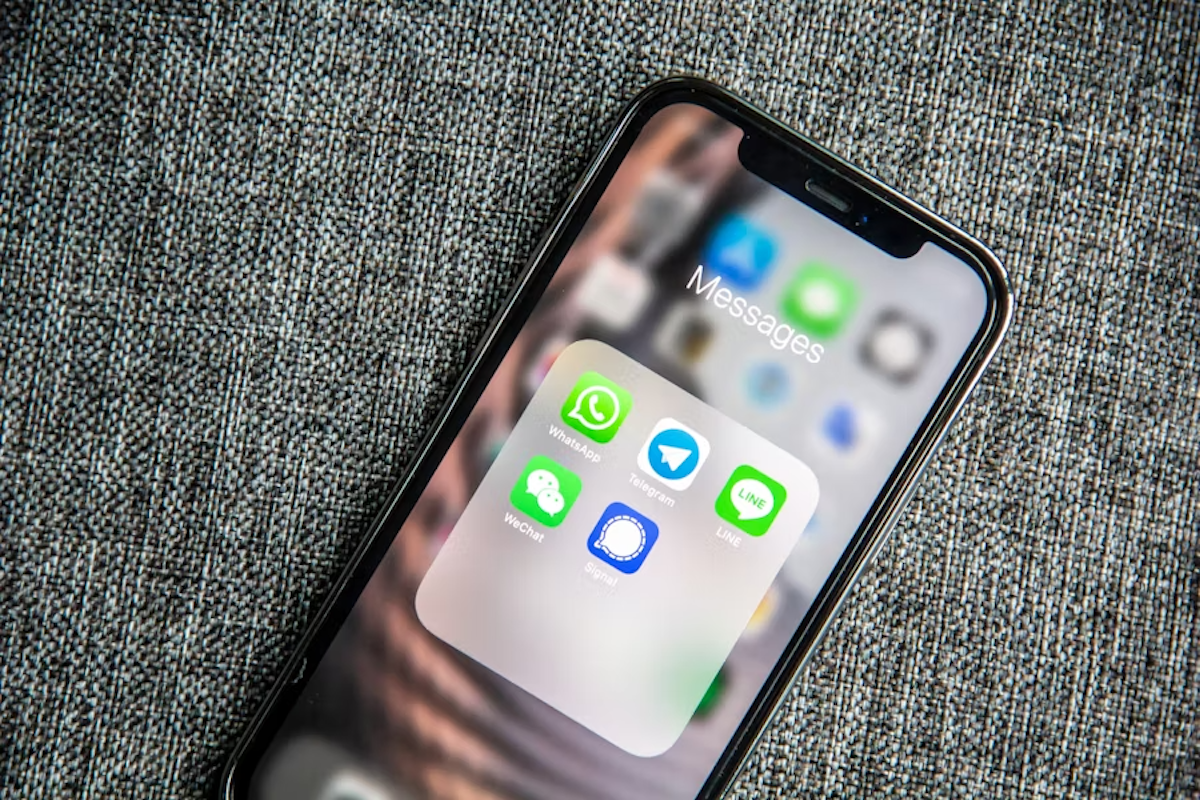
Consumer instant messaging apps such as WhatsApp Messenger and Apple’s iMessage are designed mainly for conversations between individuals or groups. This kind of instant messaging software becomes difficult for a business to manage when message volume grows or several employees need access. SMS software for business supports bulk sending through a company-managed system, removing the need to send messages individually or use personal accounts.
Professional platforms keep opt-in records and process opt-out requests consistently. Delivery receipts confirm whether messages reached their destination, while analytics show how recipients responded.
Templates and scheduling make recurring communications easier to manage. CRM or platform integration connects each message to the relevant customer record and allows existing workflows to trigger communication automatically.
What Business Message Software Replaces
Without business message software, staff often send text messages from personal phones or use email even for updates that need prompt attention. Urgent alerts may still require a phone tree, a call chain in which each person contacts an assigned group to pass the update along. That leaves the business with no reliable way to confirm that everyone received the same message.
Spreadsheet-tracked opt-in lists also become difficult to keep current, especially when several employees use them. A central platform combines sending activity with consent records, giving the company an auditable history as its messaging volume grows.
Core Features to Look for in SMS Messaging Software
Basic bulk-send tools can handle occasional announcements, but regular business communication places greater demands on the software. An effective platform should support growing message volume without adding manual work for your team.
Bulk Sending, Scheduling, and the SMS Sending Platform
A capable SMS sending platform should let you segment recipient lists by audience and schedule each send for the appropriate time. For large campaigns, message throttling releases texts at a controlled rate to stay within carrier throughput limits and protect deliverability.
Character handling also affects cost. A standard SMS written with GSM-7 characters can contain up to 160 characters. If the message exceeds that limit, the platform splits it into concatenated segments that usually appear as one message on the recipient’s phone. Emojis and other Unicode characters can lower the limit, while each segment may incur a separate charge.
Some platforms make these segment breaks difficult to see before sending. Look for a live character count that shows when another segment begins and how many billable messages the campaign will use.
Two-Way Messaging and Inbox Management in an SMS Tool
Two-way messaging allows your team to receive and answer customer replies in real time inside the SMS tool instead of routing conversations to a personal number. A shared inbox lets multiple team members view incoming messages, while conversation assignment makes it clear who should respond.
Keyword automation can answer routine questions about store hours without adding every message to the team’s queue.
Buyers often underestimate the importance of inbox management when inbound volume is low. Once hundreds of replies arrive, clear ownership helps prevent missed messages and duplicated responses.
Security and User Access
Compliance tooling does not address every security concern. Administrators should be able to control who can view conversations and who can export customer data. Those permissions should remain tied to company accounts rather than shared logins.
Ask how the provider protects stored messages and whether it supports single sign-on or multifactor authentication. Retention settings should also let your business preserve records for the required period without keeping them indefinitely.
Compliance Tooling: Opt-In Management and 10DLC Registration
Compliance tooling should record each recipient’s opt-in, including when and how consent was obtained. It should process STOP and CANCEL automatically and return the correct HELP response. An audit log preserves consent changes and sending activity if the business needs to demonstrate compliance.
Businesses sending Application-to-Person (A2P) traffic through standard 10-digit US phone numbers also need to register their brand and campaigns in the 10-Digit Long Code (10DLC) ecosystem. A professional platform should make that registration process clear before sending begins.
The financial exposure makes these safeguards a core buying requirement. A recipient bringing a private Telephone Consumer Protection Act (TCPA) claim may seek actual monetary loss or $500 per violation, whichever is greater, and a court may increase the award to as much as $1,500 per violation for willful or knowing conduct. Even a small number of violations can cost far more than a platform subscription.
Delivery Reporting and Analytics in SMS Platforms for Business
A “sent” confirmation only shows that the platform accepted the message. It does not confirm that the carrier delivered it to the recipient’s device. SMS platforms for business should report delivery rates by carrier and show failure reasons, helping you distinguish invalid contact data from filtering or network issues.
Standard SMS does not provide native open tracking, so examine any claimed open-rate metric carefully. Where a channel supports read receipts, the platform should explain how it calculates the figure. Click-through rates from tracked, shortened URLs provide direct evidence that recipients engaged with a message.
Campaign-level performance summaries should combine these results with opt-out rate trends. Your team can then compare campaigns and identify messages that deliver successfully but prompt recipients to unsubscribe.
Types of SMS Companies and What Separates Them
SMS companies may offer similar-looking services, but they play different roles in getting a message from your business to the recipient’s phone. Understanding that route helps you assess how directly a provider manages delivery and how much it relies on other companies.
Tier-1 Carriers vs. SMS Aggregators vs. Platform Providers
Tier-1 carriers such as AT&T, Verizon, and T-Mobile own the mobile networks that deliver SMS messages to recipients. They control the final network connection but usually are not the software vendors a business evaluates.
SMS aggregators connect those carrier networks to platform providers and resell messaging capacity. Some have direct relationships with multiple carriers, while others route messages through another aggregator.
The platform provider supplies the software your team uses, including the user interface and compliance tooling. Many also offer API access for connecting messaging to other systems.
Each additional aggregator hop adds another point where traffic can be delayed and can make delivery failures harder to trace. It can also slow support because the platform may need another company to investigate the issue.
What to Look for When Comparing SMS Software
When comparing SMS software, start with documented delivery performance rather than a general promise of high deliverability. Ask for recent delivery rates by carrier and confirm whether the provider or its primary aggregator connects directly to those carrier networks.
Compliance features should support the markets and message types your business plans to use, and records should be easy to retrieve if questions arrise. Technical teams should also review the API documentation before purchase to judge how much integration work the platform will require.
Support becomes especially important when a campaign is delayed or filtered. Ask who investigates delivery problems and what response times you can expect.
Pricing should be transparent enough to calculate expected spending without discovering additional charges after launch. Avoid choosing on price per message alone, because a lower rate offers little value if fewer messages reach customers.
SMS Messaging Software Integration With Your Existing Stack
Most buyers already depend on systems that hold customer data or manage marketing activity. SMS messaging software needs to connect cleanly with that existing stack, keeping information consistent and reducing manual updates between platforms.
CRM and Marketing Automation Integration for SMS Platforms
Connecting SMS software to Salesforce, HubSpot, or a marketing automation platform lets you use customer activity already recorded in those systems. A defined event can trigger a message automatically without waiting for someone to prepare and send a separate campaign.
Abandoned carts can prompt automated reminders, while a completed appointment can lead to follow-ups. For restaurants, loyalty activity can inform text marketing, allowing the platform to send a timely offer or request a review after a purchase.
This turns SMS from a broadcast channel into a behavioral trigger channel. Delivery status and replies should also flow back to the source system so the conversation history remains current for anyone managing the account.
SMS API Access for Custom Message Software Workflows
A RESTful SMS API allows developers to connect SMS to your own software. That software can send messages automatically when a defined event occurs, while webhooks send incoming replies to it as they arrive.
The API should also let developers update opt-in records and retrieve delivery data for custom dashboards. This keeps custom workflows connected to the same consent and reporting information used elsewhere in the platform. Technical teams can review the Paytronix integration documentation before development begins.
Working examples should show developers how to use each endpoint and handle failed requests. Published rate limits help them plan for volume, while a sandbox environment supports testing without sending live messages. Reviewing these resources gives technical buyers an early indication of the support they can expect during implementation.
Message Software Pricing: What to Expect
Message software pricing varies by provider, billing model, and expected usage. To compare options fairly, calculate the full cost at your likely volume and judge that figure against the value SMS should generate.
Per-Message, Monthly Bundle, and Volume Tier Pricing Models
Pay-per-message pricing assigns a set charge to each billable message. It offers a predictable unit cost, although the monthly total rises and falls with usage.
Businesses with consistent sending volumes may prefer a monthly bundle, which provides a fixed message allowance for a recurring fee. Check how the provider handles overages and whether unused messages expire.
High-volume senders can often reduce their unit cost through tiered pricing. Confirm whether the lower rate applies to every message or only to usage above each threshold.
Additional fees can materially change the total. 10DLC registration often appears as a separate charge. Providers may also bill for inbound messages, while dedicated short codes carry leasing costs. Ask for an itemized estimate based on your expected usage before comparing providers.
Calculating the True ROI of SMS Software for Business
Start with the full monthly cost of the platform rather than the advertised subscription alone. Add message and compliance charges, then compare the total with the incremental gross profit attributable to SMS, including repeat purchases generated by automated retention messages.
Use tracked links or campaign-specific offers to connect purchases with individual sends. For retention campaigns, compare repeat purchases among contacted lapsed customers with a similar holdout group. This prevents the business from crediting SMS for transactions that may have happened anyway.
Use the following formula to calculate monthly return:
Monthly ROI = (incremental gross profit attributed to SMS − total SMS cost) ÷ total SMS cost × 100
At a monthly platform cost of $300, divide that cost by the gross profit from each additional transaction. If every transaction contributes $40, the break-even point is 7.5 transactions, so the business needs eight additional purchases during the month to cover the software.
Over a four-week month, two extra transactions per week would generate $320 in gross profit and leave $20 after the platform cost. Three per week would generate $480 and leave $180. That produces a monthly ROI of roughly 7% to 60%, before any future purchases from those reactivated customers.
Frequently Asked Questions About Message Software
Even after comparing features and costs, buyers may still need clarity on how a platform will work for their business. These answers address common questions that often arise before a final decision.
What is the best SMS software for small businesses?
The best SMS software for a small business fits its current sending volume and remains manageable as usage grows. It should handle consent and customer replies without requiring separate tools.
For restaurants and convenience stores, prioritize a platform that connects with your loyalty and ordering systems so messages can respond to customer activity. Reliable delivery and responsive support should still carry more weight than the lowest price per message.
What is the difference between an SMS tool and an SMS API?
An SMS tool gives staff a ready-made interface for managing campaigns and customer replies. An SMS API lets developers connect messaging to other software so custom workflows can send and receive texts automatically. Many business platforms offer both, allowing staff to work in the interface while technical teams manage automation behind the scenes.
Do I need 10DLC registration to send business SMS?
Yes, if you send Application-to-Person (A2P) messages to US recipients from a standard 10-digit long-code number. Carriers require your brand and messaging campaign to be registered before that traffic uses the 10DLC route. Toll-free numbers and dedicated short codes follow different verification processes, so confirm your number type with the provider.
What SMS companies offer the best deliverability?
The SMS companies with the best deliverability can document recent performance by carrier and explain how directly their traffic reaches each network. Fewer aggregator handoffs usually make failures easier to trace and give support teams a shorter route to resolution. Be cautious of providers that treat “sent” as proof of delivery or make unsupported delivery claims.
How does SMS messaging software handle opt-outs?
SMS messaging software should recognize opt-out keywords such as STOP and CANCEL automatically. It records the request and sends a confirmation. The number is then added to an internal suppression list, preventing future messages that rely on that consent even if the contact appears in a later upload.
Can I integrate SMS software with my existing CRM?
Yes. Many business SMS platforms connect with CRMs such as Salesforce and HubSpot through native integrations or an API. This allows CRM activity to trigger messages automatically and keeps replies or delivery updates attached to the customer record. Check the fields and workflows each connector supports before choosing a provider, since integration depth varies.
Choose Message Software That Fits Your Business
The right message software should deliver reliably at your expected volume and provide the compliance controls your business requires. Compare how well each option connects with your existing systems and whether the total cost still fits your budget as usage grows.
Messaging is moving beyond standard SMS as RCS creates more options for richer. Deeper CRM integration will also give AI-driven personalization better data for deciding what to send and when.
Paytronix connects messaging with guest activity from loyalty and online ordering, helping restaurant and convenience store brands make each communication more relevant. Request a Paytronix platform demo to see that connected system in action.

 Julia Bigwood



 Julia Bigwood : Jun 18, 2025