TL;DR: A restaurant CRM collects and organizes guest data so operators can build personalized marketing campaigns and stronger customer relationships. Unlike a generic CRM, it connects directly to restaurant systems such as POS, reservations, and loyalty tools, then turns every transaction into a usable guest insight.
- Why it matters: Restaurants no longer compete on food alone. They compete on repeat visits and customer loyalty. A restaurant CRM converts transaction data into specific guest insights that can lift retention and revenue.
- Who this is for: Restaurant operators, marketing teams, and multi-location brands that want to understand guest behavior and drive repeat business.
- Who can skip this: The smallest operators who rely only on walk-in traffic and run no online ordering, loyalty, or reservation systems.
- What you will learn: What a restaurant CRM is, how it differs from a standard CRM like Salesforce, how it integrates with POS systems, and what ROI to expect.
- Most common next step: Audit your current guest data sources, such as POS, online ordering, and loyalty tools, to see whether they connect or run separately.
Most guest data a restaurant collects is wasted. A card swipe, an online order, a birthday reservation, or a loyalty sign-up: each one is a signal, and most of those signals disappear into systems that never talk to each other.
A restaurant customer relationship management platform closes that gap. It centralizes the data, builds a profile for each guest, and turns quiet transactions into insights that can drive the repeat visits that protect a restaurant business.
This article breaks down how a restaurant CRM works, where it differs from tools built for sales teams, and the seven workflows that separate operators who grow repeat business from those who keep paying to acquire the same guests twice.
What Is a Restaurant CRM?
A restaurant CRM is software that collects guest data, organizes it into detailed guest profiles, and helps operators use it to build customer loyalty. Restaurant customer relationship management software handles guest management, tracks preferences, and strengthens guest relationships across all customer touchpoints, from a guest's first online reservation to the hundredth visit.
The difference from a generic contact list is the source of the data. A restaurant CRM pulls from the systems guests use: the POS, the online ordering platform, reservation management, table management, and the loyalty program.
Each interaction enriches the profile automatically, so operators spend less time on manual entry and more time acting on customer insights. Three benefits explain why a CRM for restaurants has moved from a nice-to-have to core infrastructure:
- Improve customer retention: Make repeat visits easier to track and reward.
- Automate loyalty programs: Deliver offers to the right guest at the right moment to help boost customer loyalty.
- Optimize the customer experience: Give staff the context they need to deliver personalized service and enhance customer satisfaction.
How Is a Restaurant CRM Different From a General CRM Like Salesforce?
A restaurant CRM tracks dining behavior, while a general CRM like Salesforce tracks sales pipelines and business deals. Salesforce and HubSpot are built to move a lead from first contact to a signed contract.
A restaurant has no equivalent pipeline. It has a guest who might return this Friday, next month, or never.
That difference shows up in the data fields. A restaurant CRM records visit cadence, daypart, party size, and modifier history, which are the specific details that predict what a guest will do next.
A guest who orders a decaf oat-milk latte every weekday at 8 a.m. needs a different message than a group that books a six-top for dinner once a quarter.
General CRMs have no native concept of these fields. This is why many operators choose a restaurant-specific CRM over a general platform built for sales teams, and why restaurant-specific CRM tools treat these fields as the foundation.
They also fire triggers that a sales CRM never would, such as a birthday offer, a win-back message after a lapse in visits, or a VIP upgrade once a guest crosses a spend threshold. The result is a system that reads dining patterns rather than deal stages.
The contrast is easiest to see side by side:
|
Capability
|
Restaurant CRM
|
General CRM (e.g., Salesforce)
|
|
Core record
|
Guest profile
|
Lead or account
|
|
Signature fields
|
Visit cadence, daypart, party size, modifier history
|
Deal stage, pipeline value, close date
|
|
Typical triggers
|
Birthday offer, win-back, VIP upgrade
|
Follow-up task, quote, renewal reminder
|
|
Native integrations
|
POS, online ordering, reservations, loyalty
|
Email, calendar, sales tools
|
|
Best suited to
|
Repeat visits and guest loyalty
|
Closing business deals
|
Why Restaurant CRM Data Beats a Generic Contact List
Centralizing guest data is the point of a restaurant CRM, yet most guest databases stay thin. Understanding why helps operators judge whether their current setup builds customer loyalty or merely stores email addresses.
How Complete Is the Average Restaurant Guest Record?
Most guest records hold far less actionable data than operators assume. A typical restaurant email list may contain little more than:
- An email address
- No visit history
- No spend data
- No menu preferences
Such a record supports a mass blast, not a targeted marketing campaign.
A rich customer profile looks different. It can connect a guest identity to:
- Order history
- Visit frequency
- Average check
- Delivery addresses
- Channel behavior across dine-in, delivery, and online ordering
The gap between the two is where retention revenue lives. An operator segmenting on five or more variables, such as visit cadence, favorite daypart, and lifetime spend, can personalize offers with precision.
An operator working from one or two variables can only guess. Depth of data tends to matter more than list size when marketing efforts need to pay off.
How Fast Does Guest Data Decay Without Enrichment?
Guest data degrades quickly unless the CRM keeps enriching it with fresh transactions. Research from HubSpot and MarketingSherpa estimates that marketing databases decay by roughly 22.5% each year as people change email addresses, phone numbers, and habits.
A list of 10,000 guests can lose more than 2,000 usable contacts in 12 months.
The system slows that decay by design. Every time a guest pays, reorders, or books a table, the CRM updates the profile and confirms that the contact is still active.
Transactional enrichment keeps the customer database current without a manual cleanup project. This is the quiet advantage of centralizing guest data: the data maintains itself as guests keep dining.
How Does a Restaurant CRM Integrate With a POS System?
A restaurant CRM integrates with a POS system by linking each transaction to an identifiable guest profile. When a guest pays with a saved card, uses a loyalty account, or places an order through the online ordering system, the CRM matches that transaction to their record.
Order history, visit frequency, and spend accumulate without manual input, and many systems sync in real time so profiles update after every check.
Integration quality varies more than most operators realize, and it shapes everything downstream. A CRM that pulls only transaction totals knows a guest spent $48 on Tuesday. A CRM that pulls SKU-level data knows the guest ordered two IPAs, a burger with no onion, and skipped dessert.
The second system can segment on menu preferences and modifier history. The first cannot. That distinction matters when connecting a CRM to online ordering platforms and reservation management tools as well.
Complete, seamless integration produces rich customer profiles and maps the full customer journey across channels, while a shallow feed leaves gaps. The more granular the data each integration passes through, the sharper the segmentation and the stronger the customer data insights behind every targeted marketing campaign.
Operators evaluating online ordering systems should confirm the level of detail each system shares with the CRM before committing.
7 Restaurant CRM Workflows That Drive Repeat Visits
Software alone changes nothing. The operators who see returns build repeatable workflows on top of their restaurant CRM software. These seven cover the highest-value uses, from centralizing guest data to equipping staff at the table.
1. Centralize Guest Data Into Rich Profiles
Detailed guest profiles are the foundation that every other workflow relies on. To build them, centralize customer data from every system a guest touches, so an operator can check order history, preferences, and past interactions in one place and then act on them.
The three sources that feed the richest profiles are POS systems, online ordering, and reservations. Connecting all three matters because guests move between channels. A regular who dines in on weekdays may order delivery on weekends under a different app.
Without centralized guest data, the CRM sees two strangers instead of one high-value guest, and marketing efforts fragment along with the record.
2. Automate Loyalty Programs and Rewards
CRM automation makes loyalty programs easier to run and measure. Instead of tracking loyalty points by hand, the system can reward frequent diners automatically and trigger offers based on real behavior.
Many programs run through a branded mobile app that logs each transaction as it happens. Three automations do most of the work:
- Personalized offers: Trigger rewards or promotions based on guest spend.
- Birthday rewards: Send offers automatically around a guest's birthday.
- VIP tier upgrades: Move guests into higher loyalty tiers once they cross a set threshold.
Loyalty is not a soft benefit. Industry research finds 41% of diners factor loyalty programs into where they choose to eat, and the National Restaurant Association reports that most operators with a program credit it with lifting customer traffic. A CRM turns that intent into a system that reliably rewards return visits.
3. Segment Guests for Targeted Marketing Campaigns
Segmentation is what separates a CRM from an email tool. Modern marketing strategies begin here, and this is where a full CRM outperforms standalone marketing tools. The goal is to stop sending one promotion to everyone and start matching offers to guest behavior.
Operators can send targeted marketing campaigns to lapsed guests, high spenders, delivery-only customers, and weekday regulars, each with a message that fits.
The depth of segmentation drives the result. Personalized marketing campaigns built on several variables at once, such as visit frequency, average check, and preferred daypart, tend to outperform a single broad blast.
Mailchimp’s email benchmarks put segmented campaigns at roughly 14% higher open rates and about double the click rate of non-segmented sends. The CRM makes this practical by keeping every segment current as new customer data arrives, so a guest who lapses this month automatically moves into the win-back segment.
4. Run Win-Back Campaigns by Lapse Window
Not every lapsed guest is worth the same effort, and timing can determine the outcome. A guest who has not visited in 30 days may be drifting, while one who has not returned in 90 days may be close to leaving altogether.
Structuring win-back campaigns around these lapse windows makes reactivation far more effective than a single generic "we miss you" email. Each window marks a different point in the customer journey, and the message should reflect that.
A practical framework might look like this:
- 30 days: Send a gentle reminder or low-pressure incentive.
- 60 days: Introduce a stronger offer to encourage another visit.
- 90 days: Send a final high-value offer before treating the guest as churned.
A restaurant CRM automates the entire sequence based on visit-frequency data, so the right message fires the moment a guest crosses each threshold. Acting inside the recoverable window costs far less than acquiring a new guest to replace one who left.
5. Use AI to Group Guests and Personalize Offers
AI grouping lets a restaurant cluster guests by spend, visit patterns, and menu preferences without manual sorting. The CRM performs the data analysis and forms segments on its own, such as guests who consistently order premium items or those who favor a specific dish.
Operators can then reward each group differently, offering VIP guests early access to a new menu while sending value-seekers a bundle.
The technology now reaches beyond grouping; AI can select and send a suitable gift to a high-value guest automatically, matching the reward to what that guest actually orders. Restaurants exploring how artificial intelligence reads guest data are finding it predicts preferences before a guest asks, which turns personalization from a manual task into a standing capability.
6. Automate Customer Feedback Collection
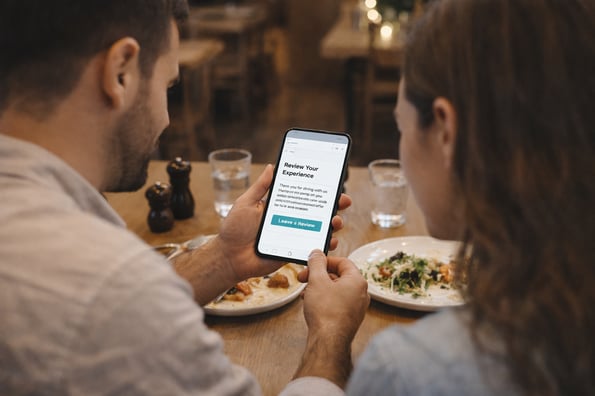
Automating review requests raises the volume and speed of guest feedback. After a guest dines, the CRM can send a request for a review, then track and respond to what comes back. Operators use that stream to spot issues early, surface customer trends, and act before a quiet complaint becomes a public one.
Closing the loop is what makes guests feel heard. When feedback ties back to a guest profile, staff can acknowledge a past problem on the next visit, which does more for guest relationships than any discount.
Feedback also enriches the customer database and helps streamline operations by pointing staff to the fixes that matter most.
7. Equip Staff With CRM Views at the Table
The workflow most operators overlook is putting the CRM in front of staff, not only marketers. A server tablet that surfaces a guest’s name, allergies, favorite table, and usual order lets the team deliver personalized service in the moment.
A manager dashboard that flags a VIP walking in enables a welcome that no automated email can match.
Most restaurants treat a CRM as a back-office marketing tool and leave this value on the table. For restaurant management teams, guest management works best when the data reaches the floor. Staff-facing views turn stored customer insights into service guests can feel, which is often where loyalty is won or lost.
What Does a Restaurant CRM Cost?
Pricing for a restaurant CRM ranges from free to several hundred dollars per month, depending on features, integrations, and the number of locations. The table below summarizes public pricing for widely used platforms as of mid-2026.
Figures come from each vendor’s published pricing and independent software directories; several enterprise tiers are quote-only.
|
Platform
|
Entry pricing (mid-2026)
|
Notes
|
|
OpenTable
|
$149/month (Basic)
|
Adds per-cover fees on network bookings
|
|
Eat App
|
Free plan; paid tiers from about $49/month
|
No per-cover fees; CRM and marketing built in
|
|
Popmenu
|
$179/month (Starter); $159/month billed annually
|
Online ordering and AI answering cost extra
|
|
Toast
|
Custom quote for higher tiers
|
Bundles POS, loyalty, and email/SMS; top package undisclosed
|
|
SevenRooms
|
Not publicly disclosed
|
Aimed at upscale groups; 100+ integrations
|
Two points matter when reading any pricing page. The headline number rarely reflects the full cost because online ordering, add-on marketing, and extra locations often carry separate fees, while prices themselves can also change over time.
Anchor every comparison to a date and confirm figures directly before you commit. The right choice depends less on price than on the integration capabilities and key features that let the CRM fit the rest of a restaurant management stack..
What ROI Can a Restaurant Expect From a CRM?
Most restaurants start seeing early ROI within a few weeks to a few months, once guest data builds and campaigns go live. The returns come from three places: more repeat visits, higher spend per guest, and reactivated customers who would otherwise have lapsed, all of which support a healthier restaurant profit margin.
Simple loyalty or win-back campaigns tend to show results first, because they run on data the CRM already holds.
The upside can be substantial when the data is used well. One New York restaurant, In Good Company, reported a 400% increase in email capture after using CRM data to build targeted campaigns, alongside a sharp lift in open rates.
A UK restaurant group traced roughly £70,000 in incremental revenue to automated email campaigns after centralizing its guest data. Both outcomes trace back to the same move: connecting guest data and acting on it.
Larger operators see it in efficiency as well. Dineout, an India-based reservation platform, implemented Salesforce CRM in 2019 as its customer base grew, according to a PwC case study. The rollout automated sales processes, improved data consistency, and drove a 1.8x increase in sales efficiency, lifting overall business performance as staff became better equipped to upsell and manage renewals.
The lesson holds at any size: a CRM pays back when guest data becomes the basis for decisions rather than a byproduct of them.
The Future of Restaurant CRM
Voice-activated commands are moving CRM work off the keyboard. Staff can update a guest profile, check a reservation, or review preferences hands-free, which suits the pace of a busy floor better than manual entry does.
AI-driven automation is the larger shift. As models get better at reading guest data, restaurant CRM tools may increasingly predict what a guest wants before they make a request, improving the customer experience, while loyalty programs can adapt rewards to behavior in real time.
Operators who keep refining their CRM workflows, reviewing data, adding integrations, and sharpening segmentation will hold the advantage as guest expectations across the hospitality industry keep rising.
Frequently Asked Questions About Restaurant CRM
Operators researching restaurant CRM tools tend to ask the same practical questions. Short, direct answers follow.
What is a restaurant CRM and how is it different from a standard CRM like Salesforce?
A restaurant CRM is built to track guest behavior in dining environments, while a standard CRM like Salesforce is built for sales pipelines and business clients. Restaurant CRMs focus on visit history, order patterns, and dining preferences rather than B2B deal tracking.
They also integrate with POS, online ordering, and reservations to build a full guest profile automatically.
How does a restaurant crm integrate with a POS system to capture guest data?
A restaurant CRM integrates with a POS system by linking each transaction to an identifiable guest profile. When a guest pays by card, uses a loyalty account, or places an online order, that transaction matches to their profile.
This lets restaurants track order history, visit frequency, and spend over time without manual input, and many systems sync in real time so profiles update after each transaction.
What guest data does a restaurant CRM collect, and how should operators use it?
A restaurant CRM collects visit frequency, order history, spend level, and guest preferences, plus contact details and channel behavior across dine-in, delivery, and online ordering. Operators should use this data to segment guests and run targeted campaigns rather than sending the same promotion to everyone.
Frequent guests can be rewarded differently from lapsed customers, which improves retention and lifts visit frequency.
How long does it typically take to see ROI after implementing a restaurant CRM?
Most restaurants see early ROI within a few weeks to a few months, depending on how quickly guest data builds and campaigns activate. Simple win-back or loyalty campaigns can show results once enough transaction history exists. ROI usually comes from increased repeat visits, higher spend per guest, and reactivated lapsed customers.
Can a small independent restaurant benefit from a CRM, or is it only for large chains?
Small independent restaurants can benefit from a CRM, not only large chains. Even with a small guest base, a CRM tracks repeat customers and identifies high-value regulars.
The difference is scale: smaller restaurants use CRMs for retention and personalization, while larger chains use them for advanced segmentation and multi-location coordination.
Take the Next Step With Your Guest Data
A restaurant CRM only pays off when the data behind it is connected. If your POS, online ordering, and loyalty tools still run separately, the fastest win is bringing them into one guest profile you can act on.
Book a demo with Paytronix to see how integrated guest data can lift your repeat visits, loyalty, and revenue.

 Julia Bigwood



 Michelle Casey : Mar 21, 2025