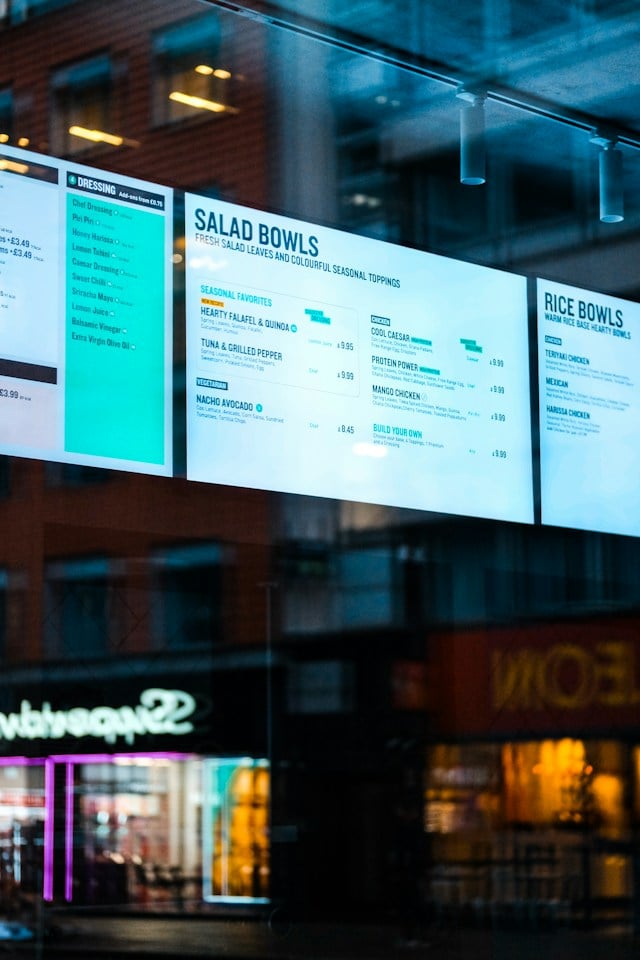
TL;DR: A menukaart template gives you a print-ready menu card layout, so you skip the design work and still look professional. Most operators then follow one piece of menu design advice that eye-tracking research has disproven, and it may be costing them orders on their best dishes.
-
Why it matters: The menu card is the first brand object a guest touches. It sets expectations before any food arrives, and a well-designed menu can boost sales by steering customers toward your specialties.
-
Who this is for: Restaurant owners choosing a menu card design, hotel operators building a room service menu template, and spas or event venues that need a service menu template.
-
Who can skip this: Anyone running online ordering only, and operators whose menu changes weekly. A printed card will not keep up.
-
What you'll walk away with: The right size for your concept, five design principles, and the honest case for going digital.
-
Best next step: Pick your format first, because size constrains everything else.
A menukaart template is a pre-designed menu card layout you customize with your own dishes, prices, and brand. This guide to menukaart templates and menu cards covers sizes, how to choose one, the design principles that matter, and when print stops being worth it.
What Is a Menu Card (Menukaart) and Why Does Its Design Matter?
A menu card is the physical document presenting your offerings to seated guests. "Menukaart" is the Dutch word for "menu," which is why the term appears in template libraries serving European operators.
The card serves three jobs at once: it is your first brand touchpoint after seating, it guides ordering choices through emphasis, and it signals quality before the first plate lands. A flimsy, overcrowded card tells guests something about your kitchen, whether you meant it to or not.
Menu Card Sizes and Formats: What to Know Before Choosing a Template
Format decides how much content fits and how the card feels in hand, so choose it before starting the design process. Four standard sizes cover nearly every restaurant:
- Single-panel portrait (4.25 × 11 in): QSR, fast casual, and focused menus under 20 items.
- Bifold (8.5 × 11 folded to 4.25 × 5.5): A casual and full-service standard; fits two to four sections.
- Trifold (8.5 × 14 folded): Larger menus with four or more sections; common in family dining.
- Tabloid bifold (11 × 17 folded): A premium format for full-service and upscale casual.
Custom dimensions exist, and some software supports sizes like 5½ × 13 inches, but they cost more to print and replace. Start with a standard size unless you have a specific reason not to.
How to Choose the Right Menukaart Template
Most galleries let you apply filters by style, view thumbnails, and compare options quickly. Match the template to your concept, not just the prettiest preview:
- Fine dining: minimal layout, generous white space, serif fonts, no food photos.
- Casual dining: bifold with section headers for appetizers through desserts, plus accent photography on hero dishes.
- Fast casual and QSR: single panel, bold item names, large prices, high-contrast color
- Hotel room service: daypart sections, prominent order mechanism, inclusive pricing.
If you're torn between two options, the simpler one is usually the safer choice. Overcrowded menus make ordering harder and can make the experience feel lower-end, no matter how good the food is. Free menu libraries also often include flyers in matching styles, which can help keep every printed piece on brand.
Room Service Menu Template: Specific Design Requirements
A room service card has to do work that a restaurant menu usually doesn't. Guests are often unfamiliar with the offering and don't have a server nearby to answer questions.
Four elements are non-negotiable:
- Order mechanism front and center: phone extension or QR link, never buried in small print.
- Daypart organization: breakfast, lunch, dinner, and all-day items with service hours listed.
- Clear allergen notation: icons or symbols for gluten, dairy, nuts, and shellfish.
- All-inclusive pricing: state plainly whether service charges and taxes are included.
Get the pricing notation right, especially. Surprise charges on a folio generate more complaints than anything else on the card.
Service Menu Template for Spas and Hospitality Venues
Non-food service menus follow different rules. A spa or salon template is usually easier to scan vertically than in columns because guests typically scan categories first and then review individual services.
Each entry needs three things aligned down the page: service name, duration, and price. Tier your services visibly so guests find their range fast and keep descriptions to a line. Long text slows the scan without improving the choice.
The same format suits event and catering menus built around specific occasions.
Menu Card Design Principles That Elevate Any Template
Five principles separate a card that feels intentional from one that looks downloaded:
- Clear visual hierarchy: logos, then section headers, then item names, then descriptions, then prices.
- Consistent typography: two or three readable fonts maximum to improve legibility.
- Strategic white space: resist filling every inch; breathing room signals quality.
- Paper stock matched to positioning: heavier matte or soft-touch for full-service, standard stock for quick service.
- A deliberate lamination call: laminated is durable and casual; unlaminated reads upscale but may need replacing sooner.
One widely repeated tip is worth ignoring: that diners look at the top right corner first, so high-margin dishes belong there. When San Francisco State researcher Sybil Yang tracked diners' eyes with an infrared scanner she found no such sweet spot.
People read menus sequentially, much like a book. Emphasis, not position, draws the eye: box the dish, add white space, or use an icon.
Pricing deserves the same scrutiny. Cornell researchers found diners spent about 8% more, equating to $5.55 per check, when menus omitted dollar signs, so list plain numbers.
Physical Menu Cards vs. Digital Menu Cards: The Cost Comparison
This is a business decision, not a quality one. A printed card costs money every time anything changes, and reprints compound across different seasons and specials.
A digital QR card removes that cycle. You edit once, publish, and every guest sees it immediately. Digital menus also refresh offerings in minutes, hold images and videos a printed card cannot, and support sharing promotions on social media. Digital menu templates are built for this.
Most full-service restaurants land on a hybrid: a premium card for ambiance, a QR code linking to the live ordering menu. Paytronix data shows brand-controlled digital menus generate 15–20% higher average tickets than third-party alternatives.
Frequently Asked Questions About Menu Card Template
What Is a Menukaart Template?
A menukaart template is a pre-designed menu card layout available in print-ready formats like PDF, Word, or Canva. It supplies typography, spacing, and structure so you only need to add content. Swap the text, drop in your logos and graphics, then save or download the file. Canva offers more than 16,000 free menu templates, and Adobe Express offers roughly 2,900, both editable in a browser with AI-assisted tools and no design skills required.
How Much Does It Cost to Print a Restaurant Menu Card?
Cost depends on stock, finish, size, and run length, so get a quote rather than trusting a range. Lamination raises the per-card price but can extend the menu's lifespan enough to offset that cost in casual settings. The real expense is frequency: every price change means a new run, which is why restaurants that update often move volatile sections to digital and keep print for content that changes less frequently.
Design a Menu Card That Represents Your Brand
A well-designed menu card is a brand asset, not a commodity. Choose the format, explore templates until one fits your concept, then customize it properly with your logo, colors, food photos, and descriptions.
Dedicated menu design software helps if you want more control, and these design tips and ideas apply whether you print or publish.
Then close the loop. The printed card creates interest, while the QR code beside it turns interest into an order at real-time prices.
Request a Paytronix demo to see how a live digital menu connects ordering, loyalty, and guest data with the card on your table.

 Michelle Casey



 Jeff Hoover : Sep 17, 2026