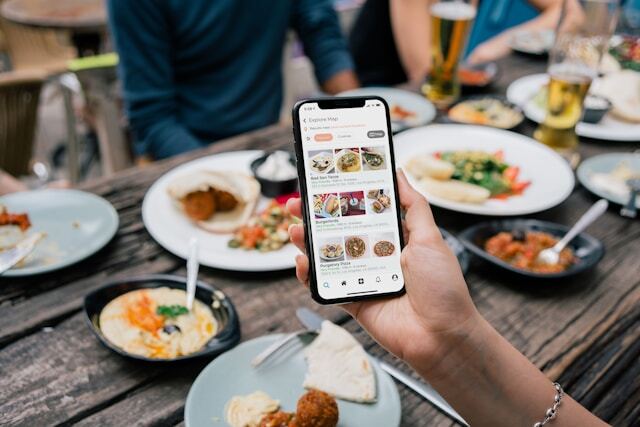
Your food order application can drive revenue before a guest reaches checkout. When the experience makes the next choice clear, small increases in average order value can add up across thousands of orders.
Here are some practical upgrades that help guests add the right items, giving operators a clearer path to higher spend without relying on heavier discounting.
Why Your Food Order Application Directly Impacts Guest Spend
To increase guest spend, first look at how people order and where current order value leaves room to grow.
The Psychology of Digital Ordering and Spending Behavior
Digital ordering changes the way customers make decisions. In an app, people are not walking past a server who can suggest a side or drink. The screen has to guide that choice without slowing the purchase down. A useful prompt at the right moment can make checkout feel easier and give guests a natural reason to add to the order.
Benchmarking Your Current Average Order Value
Before you change the ordering flow, set a clear baseline. Track average order value by channel, time of day, and menu category, then compare it with realistic benchmarks for your restaurant type.
A quick-service business will not perform the same way as a full-service brand or café. The goal is to see where orders already perform well and where small changes to meals can create the strongest revenue lift over time without guessing later.
Menu Presentation Upgrades on Online Food Order Application
Once you know the baseline, the menu experience becomes the first place to look for higher-value ordering habits.
Visual Hierarchy That Guides Higher-Value Choices
Visual hierarchy tells guests where to look first. In an online food order application, strong food photography can give premium items a better chance without making the menu feel pushy.
Restaurants should organize categories around how people choose, rather than how the kitchen works. Place high-margin items where they feel relevant, and reserve “best offers” labels for choices that genuinely help guests decide. That restraint keeps the experience useful.
Descriptions That Sell on Online Food Ordering Apps
Descriptions should help guests picture what they are buying. On online food ordering apps, plain item names can undersell higher-value meals, especially for meals that use premium ingredients or a distinct preparation method.
Use copy to show why an item costs what it does, without drifting into menu poetry. Limited-time or seasonal notes can also give local restaurants a timely reason to say “craving covered” without forcing urgency.
Pricing Display That Encourages Larger Orders
Pricing should make the value of a larger order easy to understand. Show bundles close to individual item prices so guests can compare value at a glance and see what they save without doing the math.
Keep fees and totals visible before checkout, especially when guests pay for delivery. If the final price jumps too late, the larger order can feel risky rather than worthwhile.
Upsell and Cross-Sell Features That Boost Ticket Size
Upsells perform better when they feel like a natural part of the ordering flow.
Strategic Add-On Prompts During Item Selection
Add-on prompts should appear while the guest is choosing the item, not after the purchase already feels complete. For food orders, that might mean extra protein, premium toppings, or a larger size shown within the item flow.
Defaults can help increase orders, but they need restraint. Treat add-ons as useful improvements, while keeping promotions secondary so the choice still feels easy.
Cart-Level Recommendations Before Checkout
Cart-level recommendations should feel like a final check, not a sales interruption. “Complete your meal” works when the suggestion fits what is already in the cart, such as a side for a sandwich or dessert with dinner.
Custom recommendations can also support threshold offers, such as spending a little more to unlock one of your best offers. The key is making the prompt useful right before checkout, without turning the final step into another menu screen.
Beverage and Side Attachment Optimization
Suggest beverages and sides when they clearly match the meal, not as generic add-ons. A burger order can support a drink suggestion, while a family delivery order may need shareable sides that help customers round out the meal.
Dessert works best once the main meal feels settled. At that point, a simple prompt can position the add-on as part of the perfect meal rather than an afterthought.
Checkout Flow Upgrades on Food App Online Platforms
A better checkout flow keeps guests moving without shutting down final opportunities to increase spend.
Reducing Friction That Kills Larger Orders
Checkout should make a larger order feel easy to complete. On a food app online platform, every extra field or unclear step gives guests a reason to remove items or leave.
Saved payment details, digital wallets like Apple Pay and Google Pay, and a correct address keep repeat guests moving. Guest checkout can still collect useful data after the purchase, especially if account creation feels like a benefit rather than a barrier for the next order.
Last-Chance Offers That Increase Final Ticket
Last-chance offers work when they respect the guest’s intent to finish. Use one clear pre-confirmation prompt, such as a low-cost add-on, and make it easy to accept or skip.
This is also the right place for tips, charitable add-ons, or future-order promotions. The offer should help guests save later or add value now, without slowing checkout at the final step.
Order Confirmation That Drives Additional Spend
Order confirmation should not end the commercial moment. A short post-order window can let guests add a forgotten item before preparation starts, while real-time tracking and account reminders keep the experience useful after payment.
From there, send the receipt or offer email shortly after the purchase with a loyalty balance, reorder link, or exclusive savings for the next visit. Keep it focused so the next step feels easy.
Personalization Features That Lift Average Order Value
Personalized ordering works best when it uses guest behavior to make the next choice feel obvious.
Custom Recommendations Based on Order History
Use order history to make recommendations feel familiar, not intrusive. If customers often reorder the same meals, show “your favorites” with a higher-value variation or one logical addition.
If a guest orders from a different location, the app should still recognize their usual preferences and suggest items that feel relevant. New items should feel like a match, giving customers a reason to try something beyond their usual choice.
Personalized Promotions That Increase Spend
Personalized promotions should reflect how guests already spend. Use special offers to nudge higher-value orders, such as a threshold reward for someone who usually stops short of a combo.
Tiered rewards, birthdays, and loyalty milestones can create exclusive savings that feel earned. Restaurants do not need to reach millions with every offer. The better move is to give each guest a relevant reason to spend a little more now.
Loyalty Integration on Food Business App Platforms
A food business app should make rewards visible through the guest’s account while they order, not after purchase. Points multipliers can steer attention toward profitable items when the reward feels easy to understand.
Redemption should also protect order value. Instead of letting a free item replace the whole purchase, structure rewards so guests add something extra or work toward a status tier that supports repeat spending.
Operational Upgrades That Support Higher Tickets
Operational features can make higher-value orders easier to place, prepare, and complete, especially when digital tickets reduce manual order handling.
Order Ahead and Scheduled Ordering Features
Order ahead gives guests more time to plan, which can make additions feel easier. A flexible schedule can make larger group orders feel more manageable, especially when guests choose curbside pickup or a preferred delivery option in advance.
Scheduled order reminders can also prompt practical additions, such as drinks for a meeting or extra sides for a family meal. The goal is to give guests a useful nudge while there is still time to add to the order.
Pickup and Delivery Options That Affect Spend
Pickup and delivery choices can change how much guests feel comfortable spending. Curbside pickup may support lower-friction add-ons because guests avoid delivery fees, while delivery orders often need clear minimums that make a larger basket feel worthwhile.
Show thresholds early, not at the end. A simple “add $4 to qualify” message can lift order value, but only if the fee structure feels fair and easy to understand.
Real-Time Menu Updates and Availability
Real-time availability protects trust and order value. When a guest chooses an item, the app should reflect what that location can actually make, so restaurants avoid substitutions that make the final meal feel like a compromise.
Limited-availability messages can create urgency when they are honest. Daypart-specific menus also help streamline operations by showing the right items at the right time, giving each order a better chance that the food arrives perfectly.
Testing and Optimization for Continuous Improvement
After launch, the strongest gains come from reviewing behavior and making focused improvements to the flow.
A/B Testing Menu and Checkout Variations
Start with tests tied directly to order value, such as featured item placement or checkout wording. The best-in-class technology here is the same kind of experimentation platform ecommerce teams use to test one menu, offer, or checkout variation against another.
Give each test enough traffic and time before calling a winner. Once the result is clear, use that insight to guide the next improvement instead of treating each test as a one-off.
Analytics That Reveal Spend Optimization Opportunities
Analytics should show where customers add value and where the order starts to lose momentum. Track attachment rates by item, not just overall sales, so teams can see which prompts help increase orders and which ones guests ignore.
Checkout drop-off data can also point to friction that costs money. Compare promotion use with final order value, then adjust the offer, its placement, or the operations behind the pattern.
Frequently Asked Questions About Food Ordering Applications
These quick answers cover common questions about food ordering applications and how they work.
What is a food application?
A food application lets customers browse menus, customize items, place orders, save payment details, and choose pickup or delivery from a restaurant or store. For operators, it can also support order management, customer data, and revenue growth.
What is the best food delivery application?
DoorDash leads the U.S. food delivery market, with research putting its share above 65%. Uber Eats and Grubhub are also major options, but the best choice still depends on location, fees, delivery speed, and whether a restaurant offers first-party ordering.
How to create a food delivery application?
Start by defining the ordering flow, menu rules, payment options, and fulfilment model. Then choose technology that connects those pieces to restaurant operations, so the app can support real orders rather than just look polished.
How do delivery app drivers get paid?
Delivery app drivers usually earn a base payment for each order, plus customer tips and incentives. Many platforms pay weekly, though some offer faster cash-out options. Exact pay varies by market, distance, demand, and platform.
Launching Your First or Next Food Application
Launching a better food order application starts with a simple audit to find out where customers pause, remove items, or miss a useful add-on. Use those findings to prioritize changes that increase orders and raise average order value without relying on heavier discounts.
Restaurants that treat ordering as a revenue tool can keep improving spend over time and build a more durable competitive advantage. Explore Paytronix’s online ordering solution to connect the app experience with measurable growth.

 Julia Bigwood


 Kristin Lynch : Jun 18, 2026