Good restaurant management also means good money management. Restaurant costing software helps with this goal.
Read on to learn tips for using restaurant costing software.
What is Restaurant Costing Software?
It is a tool that helps restaurant professionals:
It helps lower waste. It also helps you make better menus. This lets you find strong and weak dishes.
5 Features of Restaurant Costing Software
When selecting the right food costing software, focus on features that matter. Here are five things to look for:
- Real-Time Cost Updates: Stay ahead of changing ingredient prices with data that shows the latest changes.
- Ingredient Price Tracking: Track price changes for better cost prediction, so you always get the best value.
- Profit Data: Check the profitability of each menu item to prioritize dishes that give the best return.
- Inventory Management: Improve inventory management to reduce overstocking or shortages.
- Invoice Management: Automate the organization of invoices to save time and reduce errors.
6 Tips for Costing Software with Menu Planning
Improving your menu planning with restaurant food cost software helps manage food costs. Here are six tips:
- Check Profit Margins: Use the software to learn the profit margins of each menu item.
- Adjust Portions: Check portion sizes using software insights.
- Create Combo Offers: Make combo deals with high-margin items and customer favorites.
- Know Seasonal Ingredient Costs: Use the software to check seasonal variations in ingredient prices.
- Simulate Price Changes: Test different pricing strategies in the software to see how they impact a reduction in food costs.
- Tailor Menus: Use software data to track popular dishes. Then, create menus that cater to these preferences. If the software shows dishes with salmon are favorites, introduce new salmon-based recipes or promote existing ones.
5 Ways to Improve Your Workflow Using Restaurant Costing Software
Using recipe costing software makes things easier for your team. Here are five ways it can improve your workflow:
- Automate Inventory: Set up the software to track stock levels and alert you about reorder points for food and beverage inventory.
- Change Recipe Costs: Change recipe costs as ingredient prices change.
- Supplier Price Checks: Use the software to compare prices from different suppliers.
- Schedule Cost Reports: Use the software to make weekly or monthly cost reports and highlight trends in ingredient usage and expenses.
- Improve Multi-Unit Operations: If you’re managing multiple locations, use the software to standardize recipes, pricing, and inventory tracking.
4 Ways to Improve Communication
To keep your restaurant running, you must communicate. Here are four ways restaurant costing software can help:
- Central Data: All departments have access to a platform with real-time data.
- Automated Alerts: When certain levels are met, the software sends notifications to the right department.
- Budgeting Across Departments: The budgeting tools in costing software allow the kitchen, buying, and finance departments to have visibility into the restaurant's financial goals.
- Planning: With access to shared data, all departments can work together in planning.
6 Tips for Costing Software Training
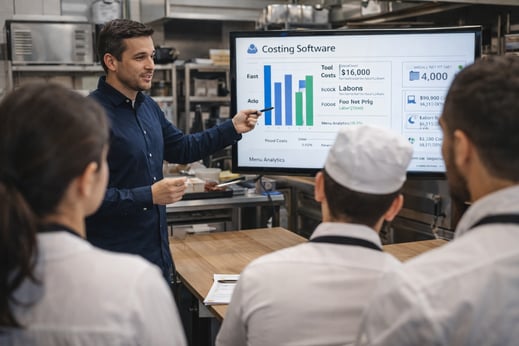
Before using new costing software goes live, everyone needs training. Here are six tips:
- Understand Staff Roles: Use training to address the tasks of each department. While this approach may create higher expenses than generic training, it is worth it.
- Start with Basic Features: Begin with the main functions of the software before moving on to advanced features.
- Use Real Examples: Use real data for more relevance.
- Offer Practice: Allow your team to practice using the software.
- Visual Guides: Provide easy-to-follow manuals of the software.
- Ongoing Support: Software use improves with practice, so offer refresher courses.
Using restaurant costing software comes with challenges, but you can overcome them. Here are four challenges:
|
Challenge
|
Solution
|
|
No Time for Training
|
Schedule training sessions during off-peak hours.
|
|
Not Wanting to Change
|
Show how the software will help.
|
|
Technical Difficulties
|
Partner with the software provider for technical support.
|
|
Combining with Your Systems
|
Work with the software provider to help get you started.
|
How to Use Your Data for Better Decision Making
Restaurant costing software lets you create reports that focus on:
-
Food costs
-
Inventory levels
-
Ingredient prices
Use the reporting tools to filter by:
-
Date
-
Menu items
-
Suppliers
Understand the data by finding patterns. If you notice an ingredient’s cost has increased, use the software to change menu prices or find a different supplier.
The next step is to schedule data reviews to check it. This helps you change your strategies. Here are three ways to check your data:
- Tracking inventory levels against usage rates helps you know when to reorder.
- Checking food cost percentages lets you to find dishes that are too expensive.
- Checking rises in ingredient prices helps you try new pricing strategies.
Frequently Asked Questions About Restaurant Costing Software
What software do you need to run a restaurant?
To run a restaurant, you need a variety of software tools to manage different aspects of your business. Key systems include a point of sale (POS) system to handle transactions, inventory management software to track stock levels, and restaurant costing software to manage food costs and menu pricing.
Additionally, employee scheduling software helps with labor management, while an online ordering system ensures smooth service. A loyalty system like restaurant loyalty software also drives repeat business by rewarding customers. Integrating these systems streamlines operations and improves profitability and efficiency.
How do you keep track of food costs?
You keep track of food costs by using restaurant costing software, which helps you calculate the food cost per menu item by factoring in ingredient prices and portion sizes.
Regularly update prices as ingredient costs fluctuate, and track inventory to ensure you're using ingredients efficiently. If your food costs increase too much, you may have to adjust your menu pricing, optimize portion sizes, or replace high-cost ingredients with more affordable alternatives.
What is a good food cost percentage for a restaurant?
It is between 28% and 32% for most restaurants. But this varies depending on the:
-
Type of restaurant
-
Menu
-
Pricing
Fine-dining restaurants might have a higher food cost percentage, while fast-casual restaurants may aim for lower percentages. To find the best percentage for your restaurant, think about:
-
COGS
-
Menu pricing
-
Profit margins
What is the average food cost for a restaurant?
It is between 28% and 35% of total revenue. This varies based on your restaurant’s:
Fine dining might have higher food costs, while fast-casual restaurants tend to have lower food costs.
Tracking food cost trends is a must to improve profitability. Review and change food costs based on sales and ingredient pricing.
What costing system do restaurants use?
Restaurants use standard and actual costing. Standard costing is setting costs for ingredients and menu items, letting you compare expenses with budgeted amounts. Actual costing tracks the cost of ingredients and menu items as purchases are made. This type is more accurate.
Most restaurants use restaurant costing software to combine standard costing and actual costing methods. The software updates ingredient prices and compares them. By having access to both sets of data, you can forecast future costs.
Taking the Next Step
To thrive, restaurant operators must keep learning the latest software. This helps you:
What’s next? Read our 2024 Online Ordering Guide and book a demo with our team.

 Kristin Lynch



 Kristin Lynch : Jul 03, 2024