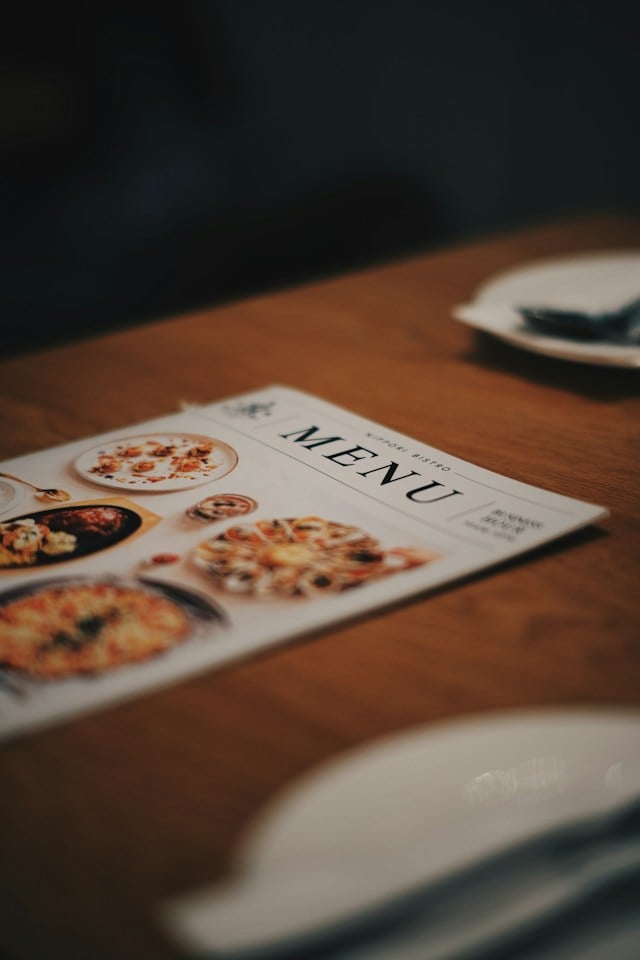
A text-only menu lists what you sell; a visual menu helps sell it. For restaurant owners, marketing managers, and chefs, this matters whenever you redesign a printed menu, QR menu, digital board, or online ordering experience.
Food photography can strongly influence what guests notice and choose, especially when it highlights priority dishes rather than decorating the whole menu. When the goal is to improve engagement and increase order value, strong menu visuals can help guests understand the dish faster, notice priority items sooner, and feel more confident placing an order.
What Is a Visual Menu?
A visual menu is a menu that uses food photography or illustrations as a core part of how dishes are presented and understood. It can appear in a printed menu, QR menu, digital menu board, or online ordering platform, with visuals working alongside, or sometimes in place of, written descriptions.
This is different from a text-only menu, where guests rely mainly on item names, descriptions, and prices to decide what to order. It is also more intentional than a standard menu with a few decorative photos. In a true visual restaurant menu, images guide attention, clarify what a dish looks like, and support the ordering decision. The goal is not to add pictures for decoration, but to use them strategically to make key items easier to notice and more appealing.
Why Visual Menus Drive More Orders: The Data
The strongest case for adding images is commercial, not just aesthetic. Items supported by food photography see 30% higher order frequency than those presented with text-only descriptions. Online ordering menus with high-quality images are also associated with a 25–30% higher average order value.
The impact also extends to engagement. Guests spend 40% longer browsing visual QR menus than text-only versions. In practice, better visuals can keep guests browsing longer and make priority items harder to miss.
Which Menu Items Should Get Photography?
Not every dish needs a photo; the strongest visual menus use images selectively to guide attention toward the items that matter most. Aim to photograph around 30–40% of your menu. Using too many images can reduce their impact, while using too few can limit the sales opportunity.
Prioritize menu items based on both profitability and popularity:
- Stars: Start with your five to eight high-margin, high-popularity dishes to reinforce their visibility.
- Limited-time offers: Feature seasonal dishes and specials where strong visuals can create interest and urgency.
- Puzzles: Add photography to high-margin items with lower order rates, where better visibility may encourage more guests to consider them.
That keeps the menu from turning into a photo gallery and reserves visual emphasis for the dishes most worth pushing.
How to Produce Food Photography for a Visual Menu
Strong menu photography does not always require a large production budget, but it does require consistency, good lighting, and the right image quality. Some dishes justify a professional shoot. Others only need consistent lighting, clean plating, and a smartphone camera used carefully.
A few practical guidelines:
- Hire a professional for hero shots: A professional food photographer may cost around $500–$3,000 per session for 20–40 images, making this a stronger option for priority dishes.
- Use a smartphone when needed: Natural window light works better than harsh overhead fluorescent lighting. Portrait mode can also add depth and make dishes stand out.
- Meet digital image requirements: Use images of at least 800×600 pixels to reduce the risk of pixelation on digital and mobile menus.
- Keep styling consistent: Use similar backgrounds, lighting, plating, and framing across images so the menu feels polished and cohesive.
The goal is not to make every photo elaborate. It is to make each image clear, appetizing, and consistent with the restaurant’s visual identity.
Visual Menu Design Principles: Layout, Placement, and Hierarchy
A strong visual menu should make it easy for guests to notice priority items without making the page feel crowded. On printed menus, place hero-item photos close to the dishes they support and give them enough space to stand out. On digital and QR menus, feature them first within each category so they catch attention early.
Keep photo sizes consistent and give each image enough white space. Uneven sizing or cramped layouts can make even high-quality photography feel less polished. For digital boards, rotating featured-item slides can also support impulse purchases by giving high-priority dishes repeated visibility instead of leaving them buried in a static layout.
Visual Menus in Digital Ordering: The Highest-Revenue Application
Visual menus can have their strongest revenue impact in online ordering, where every click and purchase becomes part of a measurable customer journey. Paytronix data suggests visual ordering menus can generate 15–20% higher average tickets, making digital ordering a high-priority place to invest in strong food imagery.
The value does not stop at checkout. When the order is tied to a guest profile, restaurants can see what that guest prefers and use those insights to send more relevant offers later.
Frequently Asked Questions About Visual Menus
Do Picture Menus Increase Restaurant Sales?
Yes, picture menus can increase restaurant sales by influencing both what guests choose and how much they spend. Food photography can make key dishes easier to notice, while visual online menus can give guests more confidence to explore additional or higher-value items.
How Much Does Food Photography for a Menu Cost?
Professional food photography typically costs around $500–$3,000 per session for 20–40 images. Smartphone photography can cost little to nothing if you use good lighting, thoughtful styling, and consistent framing. For restaurants with limited budgets, focusing professional photography on five to eight priority items can make the investment more manageable.
Should My QR Code Menu Be Visual?
Yes, a visual QR menu gives guests more information at a glance than a text-only version. When guests can see the food, they have more reason to browse beyond the item they already planned to order and consider additional or higher-margin options.
Turn Your Menu Into Your Best Sales Tool
A visual menu does more than make ordering look better. Done well, it can guide guests toward the right items, support higher-value purchases, and give restaurants clearer data on what people actually want.
With Paytronix, visual online ordering also connects each purchase to a guest loyalty profile, giving restaurants more opportunities to understand customer behavior and support future engagement. Request a Paytronix demo to see how a visual ordering experience can help increase average ticket size while strengthening your loyalty strategy.

 Julia Bigwood

 Kristin Lynch : Apr 23, 2025