Most service bottlenecks aren’t staffing issues; they’re design issues you haven’t fixed yet. When customers pile up at the entrance, stand too long at the beverage station, or crowd the counter waiting for mobile order pickups, it’s rarely because your staff isn't working hard enough.
It’s because the restaurant layout and floor plan aren’t doing the work needed to keep customers, staff, and orders moving efficiently. A few common issues typically show up: poor layout, technology gaps, ordering bottlenecks, and communication breakdowns.
Perfecting the service area in your restaurant is a high-impact opportunity for operators because it influences average ticket, guest satisfaction, and repeat visits.
This guide breaks down what should be in a restaurant service area, how it differs by restaurant format, and the design principles that turn congested spaces into more efficient operations.
What Is the Service Area in a Restaurant?
A restaurant's service area, also called the front of house (FOH), includes any physical space used primarily for guest interaction, order management, or food delivery. This includes counter service stations, pickup zones, kiosks, expo areas, and server stations, as well as the dining room, bar, waiting area, restrooms, and outdoor guest seating.
The Key Service Areas in a Restaurant by Format
Full-service, fast-casual, quick-service restaurants (QSRs), and drive-thrus require a different mix of service areas. The goal across all three is the same: reduce staff movement, keep guests and orders flowing, and make sure all components work together efficiently.
Full-Service Restaurant Service Areas
In a full-service restaurant, servers seat guests and handle most or all of the interaction and movement in the restaurant. Service centers around three areas:
- Restaurant server station: Waitstaff need quick access to silverware, napkins, condiments, the POS terminal, and beverages. Server stations should sit near the kitchen pass rather than far from the dining room. Strategic placement reduces unnecessary walking between tables, the kitchen, and support areas.
- Expo station: Dishes are staged, double-checked for presentation and quality, and handed to servers in this pass-through area between the dining room and kitchen. An organized and well-run expo station keeps orders accurate before food reaches the customer.
- Bar service: As a multipurpose zone, bar service supports both seated bar guests and servers collecting beverage orders for the dining room.
Fast Casual Service Areas
Fast casual restaurants operate an assembly-line service model with multiple cooks handling their own part of food production. Fast-casual layouts need to keep the kitchen and guest-facing zones from colliding.
- Order counter: Keep a clear line of sight to the menu board to speed up ordering time. Counter design should clearly show guests where to order, queue, and pay. Payment terminals should face customers, whether at the counter or a kiosk, to reduce payment friction. At the ordering station, customers may also see modifier prompts to influence average ticket size.
- Mobile order pickup zone: A dedicated zone, separate from the main counter, keeps mobile pickups from backing up the ordering line or crowding waiting areas.
- Delivery pickup zone: Keep delivery pickups in their own staging area to reduce confusion for staff and dine-in guests.
QSR and Drive-Thru Service Areas
Quick-service restaurants and drive-thru restaurants require efficient layouts with well-planned spaces and the right self-service technology. Every design choice affects restaurant service flow and the bottom line.
Self-service in restaurants is a major selling point for QSRs. Data shows customers are likely to spend 10 to 30 percent more at a kiosk than when ordering from staff.
- Drive-thru order point: Each touchpoint should encourage customers to move through the space and leave. Menu board visibility, strategic intercom placement (for all vehicle types), and lane design all affect how customers flow in and out.
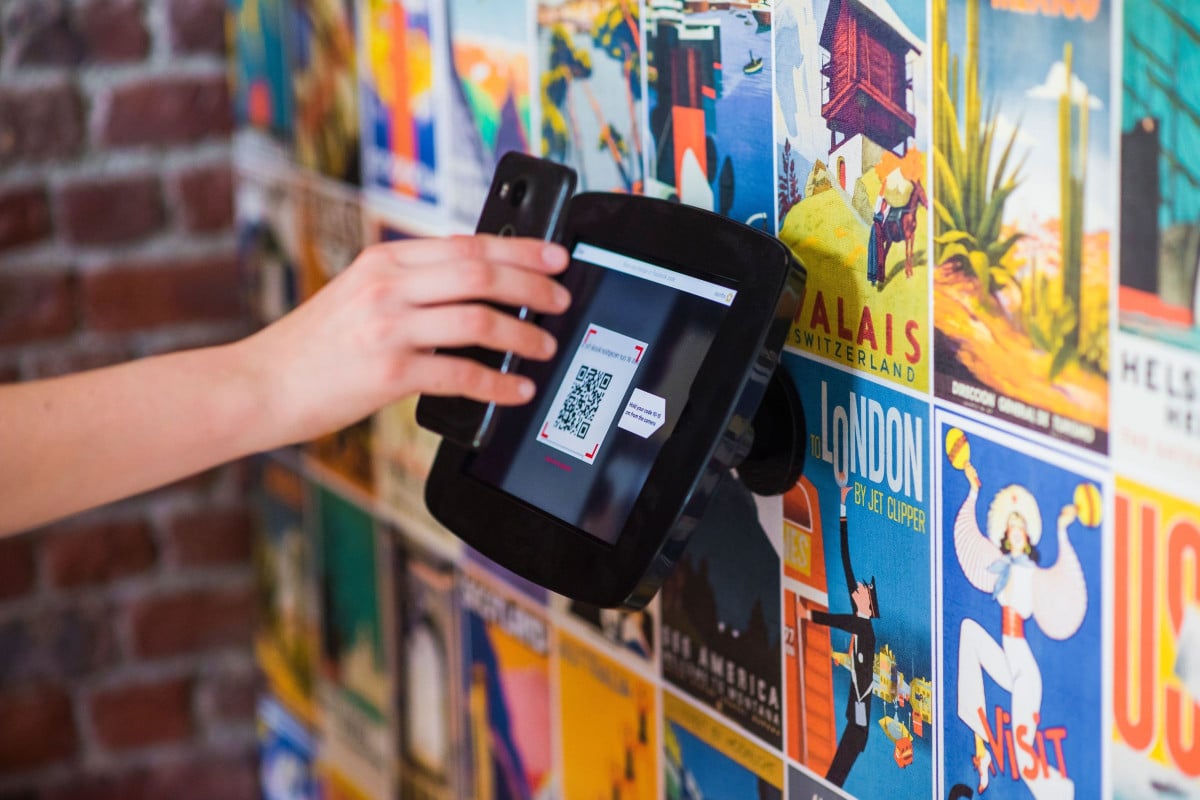
- Kiosk placement: Place kiosks near the restaurant entrance, away from the counter, to distribute order volume before guests reach the main counter.
- Digital order pickup zone: Labeled cubbies for mobile orders reduce the time between orders being ready and customers picking them up.
How to Design a High-Performance Service Area
Five design principles help restaurant owners maximize service area performance, regardless of restaurant type or format.
Minimize Server and Staff Walk Distance
Every step a server takes away from guests is a step away from revenue. Strategic POS placement can reduce walk times, and the idea applies across the service area: the less staff members have to walk for basic tasks, the more time they spend with guests.
Well-planned service areas improve the dining experience by encouraging servers to be on the floor rather than waiting in other areas.
Separate Dine-In and Digital Order Fulfillment
Create a separate space for digital order fulfillment to minimize disruption to dine-in customers and staff. This reduces errors, such as order mix-ups, and lessens confusion and congestion.
Dedicated zones let dine-in and digital orders move through the restaurant without competing for the same space.
Design the Expo Station for Speed and Accuracy
A well-designed expo area needs a heat lamp to keep food warm, a ticket rail or KDS screen, staging space for four to six plates at once, and a clear view to the kitchen and dining room.
Keep the area clean at all times (as with other parts of the restaurant), but it's especially important as food leaves this area.
Use Signage to Manage Guest Flow
Clear signage for pickup, counter service, restrooms, kiosk ordering, and mobile or delivery pickup areas reduces guest confusion and staff interruptions.
For example, a clearly labeled mobile order pickup shelf lets customers get in and out quickly.
Integrate Technology Into the Service Area Design
Technology is more than an add-on to the layout; it should support faster, more efficient service. POS terminals, kiosks, KDS screens, and loyalty enrollment prompts at counters and kiosks all live inside the service area.
Digital menus or self-ordering systems (whether kiosks or tablets at tables) reduce restaurant service flow friction while improving the restaurant guest experience.
How Digital Guest Engagement Technology Enhances Service Area Performance
Technology can serve as a design tool, not just a marketing lever, improving both the customer and staff experience within service areas.
- Mobile-ordering area: A dedicated mobile order pickup shelf keeps customers collecting digital orders away from the main ordering queue.
- Loyalty enrollment at the kiosks: Self-ordering kiosks are an excellent spot for loyalty signups. They’re high-traffic spots to capture guest emails and preferences, as well as other information to build customer profiles. One QSR Paytronix loyalty program user found success by creating personalized messaging for guest orders to help drive visit frequency and retention.
- KDS integration: A digital kitchen display connected to online order platforms syncs dine-in and digital orders, so staff don’t have to manage separate ticket systems.
Frequently Asked Questions About Service Area in a Restaurant
What is included in a restaurant's service area?
A restaurant’s service area is any space where guests interact with the ordering process or staff. Depending on the restaurant format, it may include server stations, mobile order or delivery pickup zones, kiosk areas, expo stations, and counter service.
How do I reduce wait times in my restaurant's service area?
Start by separating dine-in and digital order fulfillment so guests aren’t competing for the same space. Next, place POS terminals near the kitchen pass to reduce server walk time, and put kiosks near the entrance rather than the counter to split order volume before guests reach the main service counter.
Design a Service Area That Captures Every Guest's Loyalty
A well-designed service area moves guests and staff through the space efficiently. From the kiosk to the counter to the pickup shelf, it’s an opportunity to capture a guest profile and start building a loyalty relationship.
Request a Paytronix demo to see how digital ordering and loyalty integration can support a more efficient, connected service experience.



 Michelle Casey : Feb 20, 2026